Keep invoicing in MYOB.
We'll handle FRCS — set up in 3 minutes.
Connect your MYOB company file once and every invoice you raise is signed and submitted to FRCS VMS automatically. It all runs in the cloud — nothing to install, no hardware, no smart card, no setup fee. Nothing changes in MYOB AccountRight or MYOB Business.
Plans from $83.25 / month FJD, VAT included · billed yearly · cancel anytime
Pay by card and you are live today — no setup fee, no hardware, cancel anytime. Rather try first? Create an account and fiscalise 10 real invoices free. No card, no expiry.
Fiji VAT-registered businesses face fines and back-assessments for non-compliant invoices under VMS. Don't leave it to chance — one missed invoice is one too many.
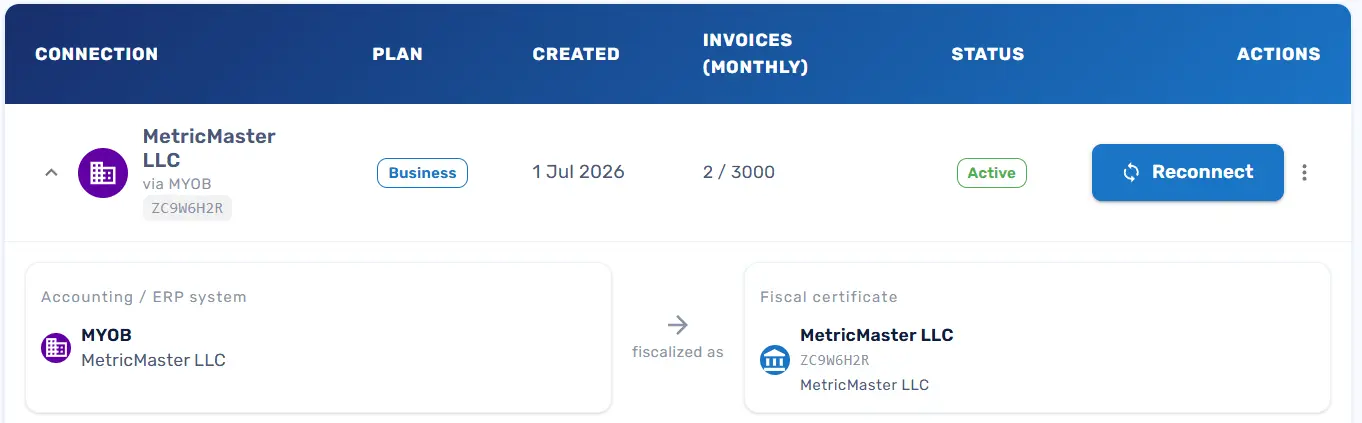
MYOB to FRCS, without you in the middle
Once your company file is connected there is no button to press, no export and no end-of-day routine. This is the whole process.
You raise an invoice in MYOB
Your normal invoice, raised by you or your bookkeeper, in the MYOB you already use.
We pick it up — up to 5 minutes
FiscoBridge checks your company file on a short cycle, then signs the invoice with your FRCS certificate.
Submitted to FRCS VMS
If FRCS or your internet is unavailable, the invoice is queued and retried automatically until it's accepted.
Fiscal link written back to MYOB
The verification link lands in the invoice's journal memo, so the proof lives with the invoice for any audit.
You do step one. We do the rest — on every invoice, forever.
Automatic, but not instant — and that's fine
Because MYOB is checked on a cycle rather than pushing to us, your fiscal link can take up to 5 minutes to appear in the journal memo. There is nothing to wait for and nothing to click — it happens in the background whether you're at your desk or not.
Three steps, and you're done for good
No consultant, no site visit, no IT project. Everything below happens in your browser.
Create your account
Name, email, password. Under a minute, and no card needed to look around.
Upload your FRCS certificate
Drag in the PFX file FRCS issued to your business. Stored encrypted, used only to sign your invoices.
Connect your MYOB company file
Sign in to MYOB the way you always do, approve the connection and pick the company file. Your MYOB password is never shared with us.
One thing to have ready: your FRCS certificate
The 3 minutes assume you already hold your PFX digital certificate. If you don't have one yet, request it from the FRCS Taxpayer Administration Portal (TAP) under POS Access Requests — FRCS emails you a download link. We'll walk you through it step by step, and you can set up your FiscoBridge account while you wait.
One subscription. That's the whole bill.
No quotes, no onboarding invoice, no per-invoice charge creeping in later.
- Setup or onboarding fee $0
- Hardware, SDC box or smart card None
- Software to install or update None
- Per-invoice or per-transaction fee None
- Changes to how you invoice in MYOB None
Two things we honestly don't cover, so there are no surprises: your FRCS digital certificate comes from FRCS, and your MYOB subscription stays with MYOB. We don't resell or mark up either.
Why Fiji businesses put MYOB on FiscoBridge
Keep using MYOB your way
Your bookkeeper, your accountant, your routine — nothing changes. Nobody has to learn new software.
Automatic, within 5 minutes
No end-of-day rush and no batch you have to remember. Invoices are picked up, signed and submitted on a short cycle, all day.
Everything runs in the cloud
No SDC box to plug in, no smart card to lose, nothing installed on your machines and nothing to keep updated. Sign in from any browser.
Accredited by FRCS
FiscoBridge is a licensed, FRCS-accredited SDC. We've done the paperwork so every invoice meets VMS requirements out of the box.
Audit-ready anytime
One dashboard shows what's been fiscalised and what hasn't, and the verification link sits on the invoice itself in MYOB.
If FRCS is down, we wait
Internet down? FRCS offline? Invoices are queued and retried automatically — nothing is lost and nothing becomes your problem.
Manual fiscalisation vs FiscoBridge
Doing it by hand isn't compliance — it's a slow leak.
| Feature | Manual entry | FiscoBridge★ Best for MYOB |
|---|---|---|
| Works with AccountRight & Business | No | Yes |
| Time to set up | n/a | 3 minutes |
| Hardware required | Depends on your setup | None — 100% cloud |
| Ongoing manual work | Every single invoice | Zero |
| Risk of missed invoices | High | Auto-retry, none lost |
| FRCS-accredited | No | Yes |
| Setup fee | Staff time, every month | $0 |
| What it costs | Hidden — staff time + risk | From $83.25/month |
Simple pricing. No surprises.
Pick the plan that covers your busiest month. All prices in FJD and include VAT. Cancel any time — no lock-in.
Business
Up to 3,000 invoices / month
FJD / year
that's $83.25 a month $999.00 billed once a year Save $309.00 a year- Automatic MYOB fiscalisation
- FRCS VMS submission
- Auto-retry on FRCS downtime
- Priority email support
Billed yearly · Live today · Cancel anytime
Or test 10 invoices free first →Professional
Up to 10,000 invoices / month
FJD / year
that's $166.58 a month $1,999.00 billed once a year Save $629.00 a year- Everything in Business
- High-volume processing
- Phone & WhatsApp support
- Dedicated account contact
Billed yearly · Live today · Cancel anytime
Or test 10 invoices free first →Enterprise
10,000+ invoices / month
Tailored to your volume
- Custom invoice volume
- SLA & uptime guarantees
- On-site setup support
- Dedicated account manager
One connection per plan. A plan covers one MYOB company file. Running several businesses? Add a plan for each — they all sit under one FiscoBridge account.
Invoice limits are hard limits, not overage. If you reach your plan's monthly invoice count, fiscalisation stops until you upgrade from the Customer Portal — there is no per-invoice overage charge. Upgrades take effect immediately and the queue resumes, but we strongly recommend sizing your plan for your busiest month rather than your average one.
Volume counting. Only invoices FiscoBridge successfully fiscalises in a calendar month count. Drafts and quotes in MYOB don't.
Accepted Payment Methods






SSL Encrypted Payment
Your information is protected by 256-bit SSL encryption.
An FRCS-accredited SDC, not a workaround
FiscoBridge is licensed and accredited by the Fiji Revenue & Customs Service, and also runs MYOB fiscalisation for Vanuatu (VSMS) and Samoa (TIMS). Your certificate is encrypted at rest and your MYOB connection uses OAuth — we never see or store your MYOB password.
Prefer a hand locally?
Buy online in two minutes, or work with the IT names you already know. Our authorised Fiji partners can set you up, train your team and look after you on the ground.

Datec Fiji
Reseller Partner
Computer 1
Reseller PartnerRather do it yourself right now? See plans and subscribe →
Before you buy
No. Keep issuing invoices in MYOB AccountRight or MYOB Business exactly as you do now. FiscoBridge connects to your MYOB company file and fiscalises every invoice in the background — your workflow, your templates and your accountant's process all stay the same.
Yes, if you already hold your FRCS PFX certificate: create your account, upload the certificate, authorise MYOB and pick your company file — about three minutes in total, all in your browser. If you still need to request the certificate from FRCS, that part runs on FRCS's timetable, not ours. You can set up your FiscoBridge account and connect MYOB while you wait for it.
Automatically, and normally within a few minutes — allow up to 5 minutes for the fiscal link to appear in the invoice's journal memo. FiscoBridge checks your MYOB company file on a short cycle rather than MYOB pushing invoices to us, which is why it isn't instantaneous. There is nothing to wait for and nothing to click; it happens whether you're at your desk or not.
No. FiscoBridge is entirely cloud-based. There is no SDC box, no smart card, no local server and nothing to install or update on your computers. Everything happens between MYOB, our cloud and FRCS — you just need a browser and an internet connection.
Nothing. There is no setup fee, no onboarding charge, no hardware to buy and no per-invoice fee. You pay one subscription — monthly or yearly, VAT included — and nothing else. Your FRCS certificate comes from FRCS and your MYOB subscription stays with MYOB; we don't resell or mark up either.
Yes. Every new integration includes 10 free fiscalised invoices on one connection — no card needed and no expiry date. Connect MYOB, fiscalise ten invoices end to end, and subscribe when you're satisfied. Nothing rolls over into a paid subscription automatically; you only pay when you choose a plan.
Fiscalisation stops until you upgrade — there is no overage billing, so you can never be surprised by an extra charge. To carry on in the same month, upgrade to a higher tier from the Customer Portal; it takes effect immediately and your queued invoices resume. Because a stoppage is disruptive, pick a plan that comfortably covers your busiest month rather than your average month.
Yes. Each business — each MYOB company file — connects as its own integration, with its own certificate and its own plan. If you run several businesses you can add an integration for each under one FiscoBridge account with a single login.
A PFX (Personal Information Exchange) digital certificate issued to your business by FRCS. Request it from the FRCS Taxpayer Administration Portal (TAP) under POS Access Requests; FRCS emails you a download link. You upload it once during setup and FiscoBridge uses it to digitally sign your MYOB invoices. It is encrypted at rest.
FiscoBridge queues your invoices and retries automatically once FRCS VMS is back online. The same applies if your own internet drops. You don't need to do anything, and nothing is lost — every invoice is fiscalised as soon as the system is reachable again.
Yes, any time, from the Customer Portal. Cancellation takes effect at the end of your current billing period and you keep full access until then. There is no lock-in contract and no exit fee.
Three minutes now, or a compliance problem later.
Subscribe and connect your MYOB company file today — from your very next invoice, FRCS VMS is handled for you.
No setup fee · No hardware · Cancel anytime · 10 free fiscalised invoices if you want to test first
Questions first? Message us on WhatsApp© 2026 FiscoBridge. Prices shown in FJD, VAT included.