Eswatini retail and wholesale POS, ready for ERS e-invoicing
FiscoBridge Desktop POS is a fast, modern point of sale for Eswatini shops, supermarkets and wholesalers. Electronic fiscal invoicing for the Eswatini Revenue Service is built in: every receipt is signed, reported to ERS and printed with a verification QR code, even when the internet drops.
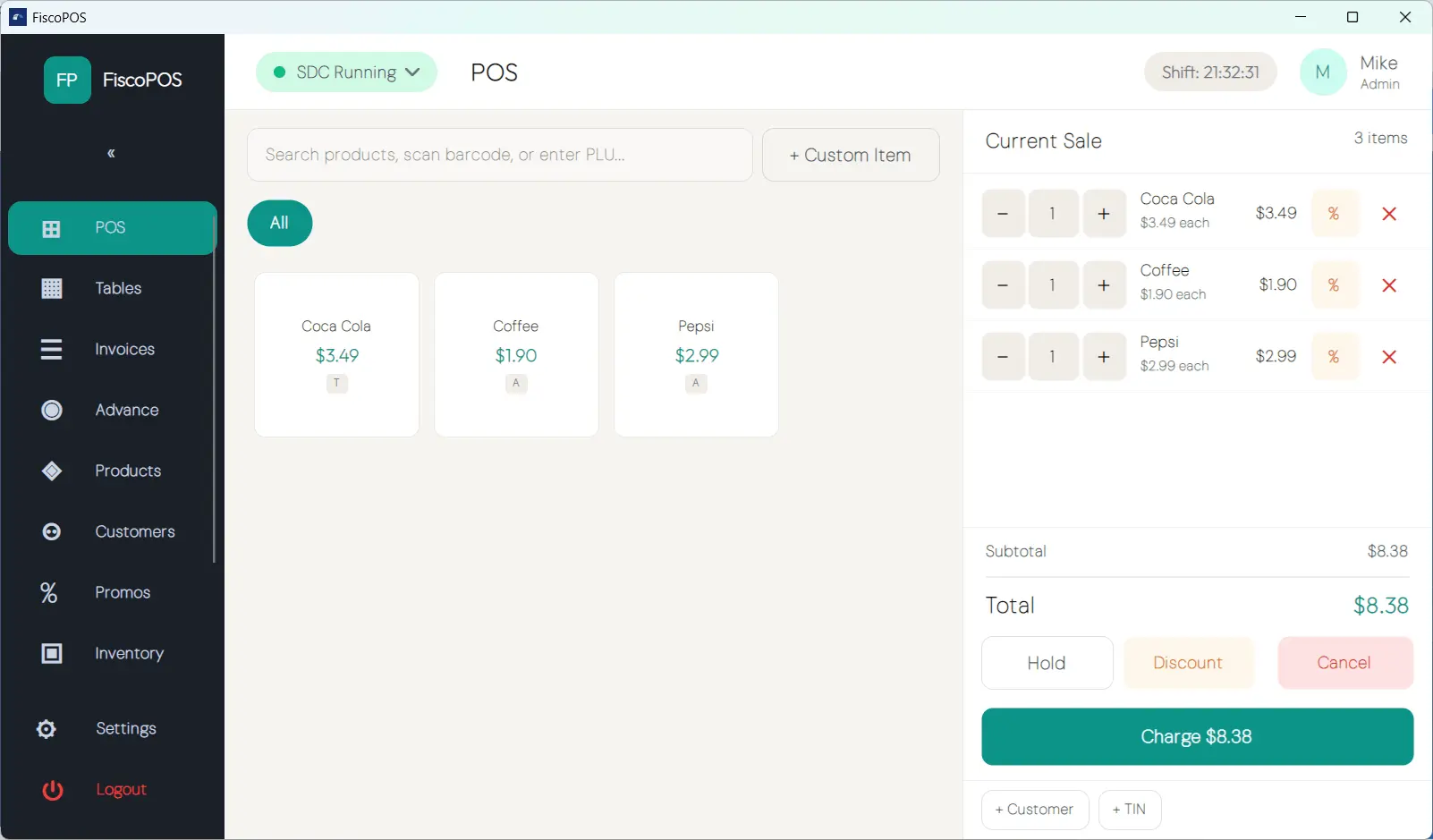
Shops and wholesalers are first in line for ERS e-invoicing
The Eswatini Revenue Service has launched its electronic invoicing programme and named wholesale and retail as the first sectors to be designated. When the Commissioner General's phase-in notice reaches your business, every sale will need to be issued through an accredited electronic fiscal device. Desktop POS is that device, with the till built around it.
Does what an EFD must do
Generates and stores the fiscal data for every sale, issues the fiscal invoice with its QR code, and transmits the data to the ERS e-invoicing system.
Selling in minutes, not weeks
Download, install, pair the sales data controller, sell. No integrators, no server room, no project plan.
Never stop selling
Offline-first by design. When the connection drops, receipts keep printing, signed locally and reported to ERS the moment you reconnect.
One licence per till, no lock-in
Pay once for a one-month or one-year licence per device. No auto-renewing subscription, no surprise charges. Renew when you are ready.
Built for busy counters
Fast on a touch screen, easy to learn on day one, and complete enough to run the whole shop.
Fly through the queue
A fast product grid with barcode scanning, search, quantity dialogs, custom items and open pricing, built for touch screens and rush hour.
Balanced tills, every night
Open and close shifts, record cash in and out, and print X and Z reports with full cash reconciliation.
Promotions that run themselves
Automatic promotions and line or cart discounts with a rules engine: happy hour, bundle deals, staff prices, all hands-free.
A checkout customers can see
Show the cart, totals and change due on a second customer-facing screen.
Receipts your way
Print thermal receipts at the counter and generate A4 PDF invoices for email or trade customers. Every one carries the ERS verification QR code.
Know your day at a glance
Revenue by payment type, sales by category, top sellers and a clear daily dashboard.
Every action accounted for
An admin-only audit log records logins, price changes, refunds, discounts and shift events.
Stock that counts itself Pro
Inventory with stock takes, purchase orders, supplier management and low-stock alerts, so you know what to reorder before the shelf is empty.
Two ways to issue an ERS invoice
A cash-and-carry counter and a wholesaler invoicing trade customers need different tools. FiscoBridge gives you both under one certificate.
- Desktop POS for the counter: scanner, scale, receipt printer and cash drawer, with the fiscal invoice printed on the spot
- Web Invoicing for trade customers: issue business-to-business fiscal invoices from a browser with the buyer's tax identification number and the date of supply on the document
- Customer database and advance billing: keep account customers, tabs and deposits straight across both channels (Pro)
- Keep your current POS: an existing till that can call a local API can connect to the FiscoBridge sales data controller instead of being replaced
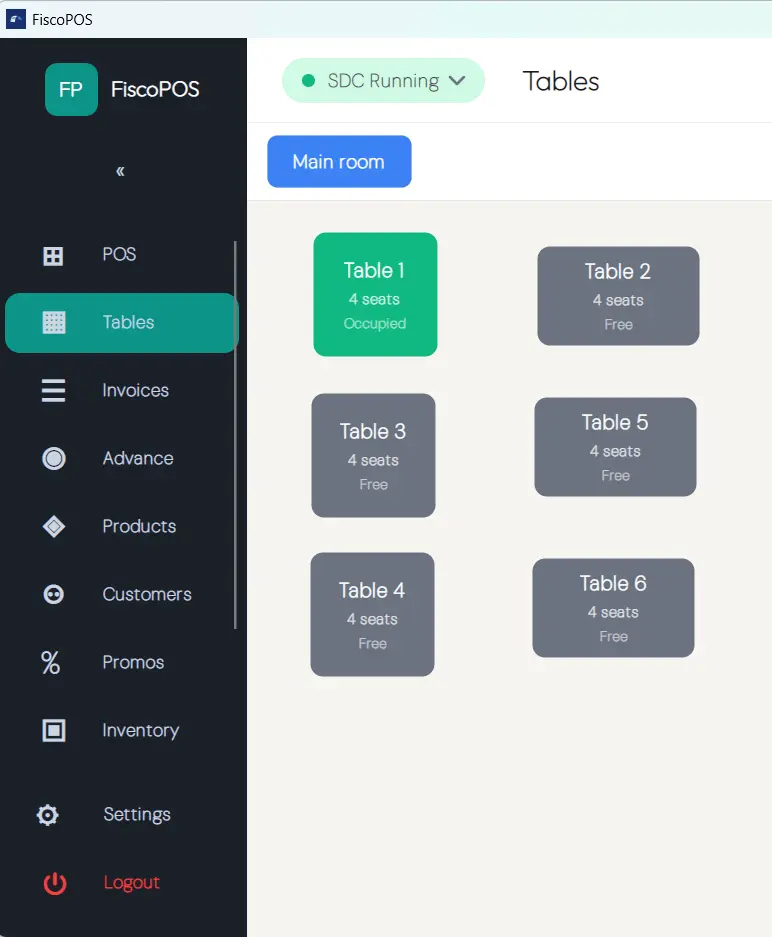
What ERS e-invoicing means for your Eswatini business
Under the VAT rules on electronic fiscal documents, a designated VAT-registered business in Eswatini must issue its invoices and receipts through an electronic fiscal device that generates and stores the fiscal data, issues the fiscal document, and transmits that data to the ERS e-invoicing system (ERS.EIS). An ordinary till or an invoice book does not meet the requirement once your business is designated.
FiscoBridge Desktop POS pairs with the FiscoBridge sales data controller on the same machine. Every receipt is signed with your ERS-issued certificate and reported automatically, including sales made offline, which queue locally and sync when you are back online. The platform behind ERS.EIS is TaxCore; FiscoBridge talks to it the same way it already does in Fiji, Samoa and Vanuatu.
Using Sage, QuickBooks, Xero or Odoo for invoicing? Those connect to ERS through the same account. See accounting software and ERS e-invoicing.
Pick your package. Own your checkout.
One licence per till, prices in ZAR with VAT included. Rand is accepted at par with the lilangeni. Buy online and activate in minutes.
All prices are in ZAR and include VAT.
Lite Package
For a single till
Everything you need to run a fast, compliant checkout: the full point of sale with shifts, promotions, receipts, reports and audit log.
Buy and activate licence(s)
- Point of sale: grid, cart, open pricing
- Shift management with X and Z reports
- Promotions and discount engine
- Customer display, PDF and thermal receipts
- Reports, dashboard and full audit log
Pro Package
For retail and wholesale
For growing businesses: adds a customer database with trade pricing, advance billing and full inventory control with purchase orders and suppliers.
Buy and activate licence(s)
- Everything in Lite, plus:
- Customer database and advance billing
- Inventory, purchase orders and suppliers
- Restaurant and table management
- Low-stock alerts and priority support
* Prices are per licence (one device) and include VAT. Licences are one-time payments; nothing auto-renews.
Accepted payment methods






SSL encrypted payment
Your information is protected by 256-bit SSL encryption.
Before you buy
When the Commissioner General designates your business or sector by notice. ERS has named wholesale and retail as the first sectors and has told businesses to keep using their existing systems until their notice arrives. Check the ERS website for the current notices, and use the time to install and test Desktop POS so the switch is ready.
Yes. FiscoBridge is an ERS-accredited sales data controller and Cloud POS for Eswatini, the same accredited technology it runs in Fiji, Samoa and Vanuatu, and ERS.EIS is built on the same platform.
Usually not. Desktop POS runs on the Windows, macOS or Linux computer you already own and works with standard ESC/POS thermal printers, barcode scanners, cash drawers and a customer display. The sales data controller is software on the same machine, so there is no separate fiscal box to buy.
If every sale is already invoiced from your accounting software, connect that software to FiscoBridge and the invoices are fiscalised there; Desktop POS is for the counter where customers pay on the spot. Many wholesalers run both: Desktop POS for cash-and-carry and the accounting connection for account customers, under one ERS certificate.
Yes. The POS and its data run locally on your machine, so you keep trading through internet outages. Receipts are fiscally signed and queued, then reported to ERS automatically once you are back online. Working offline is a normal, supported mode of the sales data controller.
Yes. Install Desktop POS and issue training invoices against the ERS test environment with no payment details. Training invoices are marked as not fiscal. Going live needs a paid licence and your production certificate from ERS.
Checkout takes a couple of minutes: pay securely by card, no account required up front. After payment, log in or create your free account with your checkout email to manage your licences. Then download the app from the downloads page, activate your licence, pair the sales data controller with your ERS certificate and ring up your first compliant sale.
Put an ERS-ready POS on your counter today
Buy a licence, download the app, and ring up your first electronic fiscal invoice in minutes.