
The Modern Desktop POS, Built for Fiscal Compliance
A fast, beautiful point of sale for retail and restaurants — with tax-authority fiscalization built in through the FiscoBridge SDC. Inventory, customers, shifts and reports, on Windows, macOS and Linux.
Up and Running in 3 Steps
Install the app, connect it to your SDC, and start ringing up fiscally compliant sales.
Step 1 — Download & Install
Install FiscoBridge Desktop POS on your Windows, macOS, or Linux terminal in minutes — no complex setup, no IT team required.
Step 2 — Connect Your SDC
Pair the POS with the FiscoBridge SDC and your tax-authority smart card so every receipt is fiscally signed and reported.
Step 3 — Start Selling
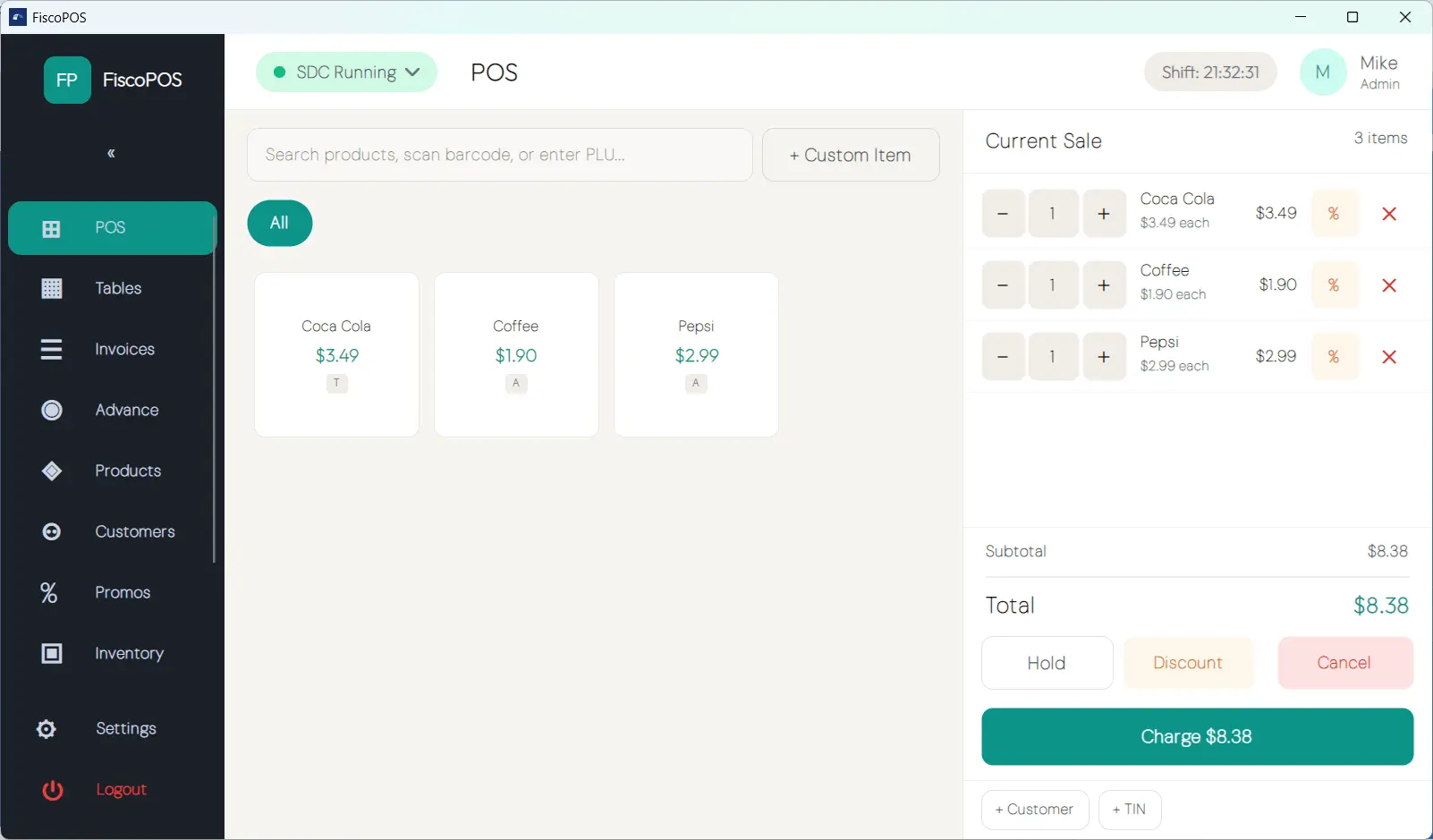
Ring up sales on a touch-friendly POS. Every invoice is signed and reported automatically — even offline, syncing the moment you reconnect.
Everything a Modern Till Needs
Available in every edition — a complete, compliant point of sale out of the box.
Point of Sale
A fast product grid, cart management, quantity dialogs and open pricing — built for touch screens and busy counters.
Shift Management
Open and close shifts, record cash in and out, and print X & Z reports with full cash reconciliation.
Promotions & Discounts
Create automatic promotions and apply line or cart discounts through a built-in, rules-based discount engine.
Customer Display
Show the cart, totals and change due on a second customer-facing screen for a professional checkout.
Receipts — PDF & Thermal
Print ESC/POS thermal receipts at the counter and generate formal PDF invoices for email or B2B customers.
Reports & Dashboard
See revenue by payment type, sales by category and your top sellers — with a clear daily dashboard at a glance.
Audit Log
A full, admin-only audit trail of every operation — logins, price changes, refunds, discounts, shifts and more.
Offline-First Fiscalization
Keep selling when the internet drops. Invoices are signed and queued locally, then synced automatically on reconnect.
An Edition That Grows With You
Start with everything you need to run a compliant till, and step up to Pro when you add restaurant, customer and inventory operations.
Lite
For a single till
- Point of sale, cart & open pricing
- Shift management & cash movements
- Promotions & discount engine
- Customer display
- PDF & thermal receipts
- Reports, dashboard & audit log
Pro
Everything in Lite, plus
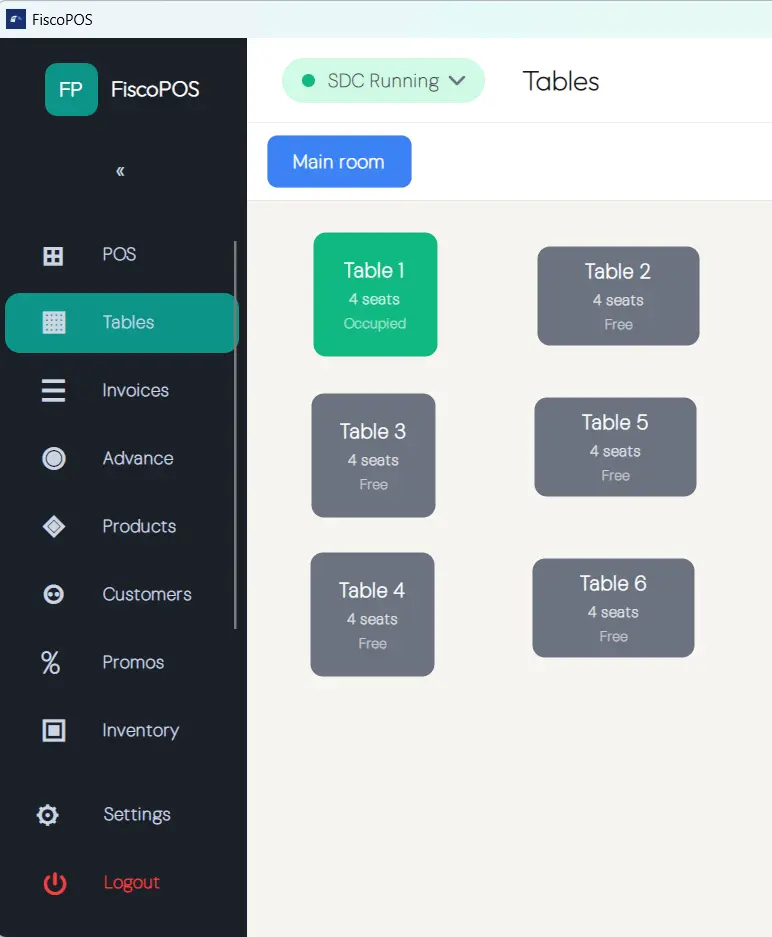
- Restaurant / table management
- Split, merge & transfer tables
- Customer database & advance billing
- Inventory management & stock takes
- Purchase orders & suppliers
- Low-stock alerts
Why FiscoBridge Desktop POS?
A POS that feels modern, runs anywhere, and keeps you compliant without bolting on extra hardware or software.
- Modern, touch-friendly interface — designed for all-day shifts, fast and easy to learn
- One app for retail and restaurants — counter service or table service from the same install
- Offline-first — never stop trading; invoices queue locally and sync automatically
- Accredited fiscal compliance — every receipt signed through the FiscoBridge SDC
- Windows, macOS & Linux — run it on the hardware you already have
- Affordable per-device subscriptions — simple Lite and Pro plans with monthly and annual billing
Modernize Your Checkout Today
Download FiscoBridge Desktop POS, connect your SDC, and start issuing fiscally compliant receipts in minutes.
Frequently Asked Questions
FiscoBridge Desktop POS is a modern point-of-sale application for Windows, macOS and Linux, built for retail and restaurants. It runs alongside the FiscoBridge SDC so every sale is fiscally signed and reported to your tax authority automatically.
Yes. The Desktop POS handles sales, inventory and reporting, while the FiscoBridge SDC signs each invoice with your tax-authority smart card. They run together on the same machine to keep every receipt compliant.
Lite includes the full point of sale, shifts, promotions, customer display, receipts, reports and audit log. Pro adds restaurant / table management, a customer database, advance billing and full inventory management. See the pricing page for a full comparison.
FiscoBridge Desktop POS runs natively on Windows, macOS and Linux. Download the installer from the downloads page.
Yes. The POS and its data run locally, so you can keep trading without an internet connection. Invoices are signed and queued, then synced to the tax authority automatically once you are back online.
Desktop POS works with ESC/POS thermal receipt printers, kitchen printers, a customer-facing second display, cash drawers and barcode scanners — plus card terminals through a pluggable adapter.