
Connect Your Platform. Fiscalize Automatically.
FiscoBridge plugs into your accounting or POS software and handles fiscal compliance behind the scenes — no disruption, no double-entry, no complexity.
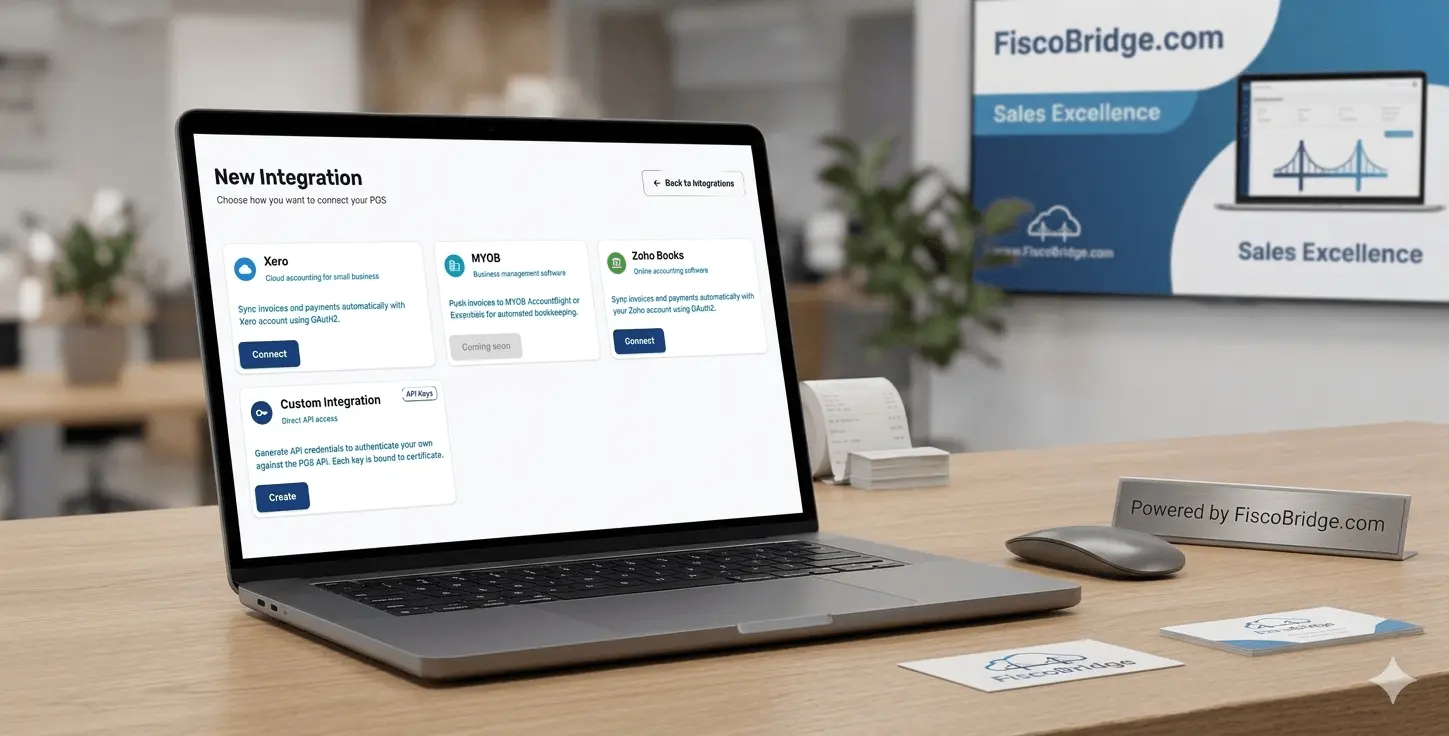
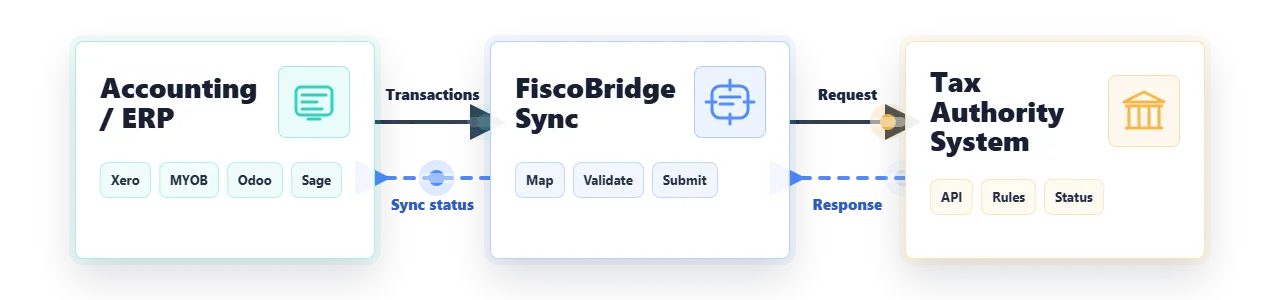
From Your Accounting Software to the Tax Authority
FiscoBridge Sync sits between your accounting or ERP software and the tax authority — detecting new invoices, fiscalizing them in real time, and routing the response back to your platform automatically.
How FiscoBridge Integrations Work
From setup to automatic fiscalization — here is how FiscoBridge connects to Xero, Zoho Books, and MYOB to handle fiscal compliance for you.
Upload Your PFX Certificate
Start by creating a new integration in your FiscoBridge dashboard and uploading your PFX digital certificate — the same one issued by your tax authority through their taxpayer portal. This certificate is what allows FiscoBridge to cryptographically sign invoices on your behalf.
Choose Your Platform & Authorize
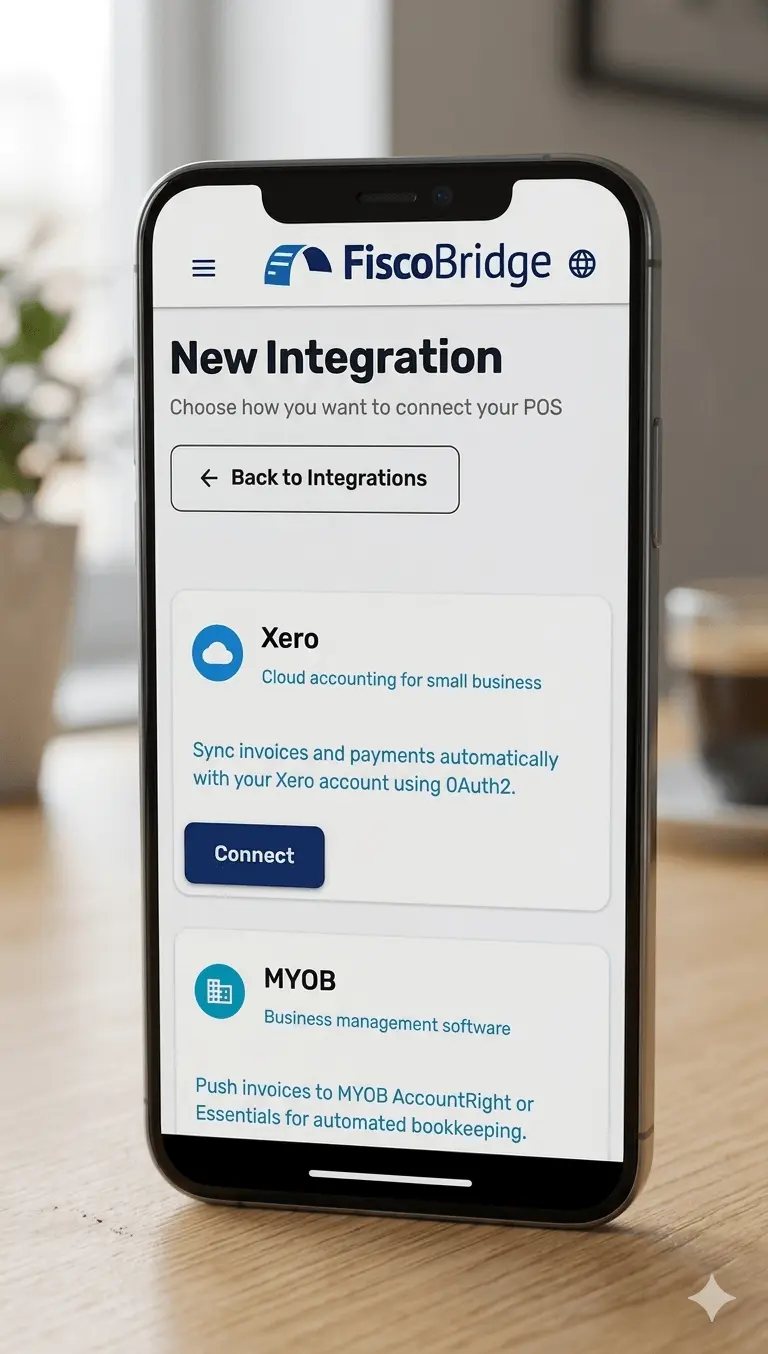
Select your accounting software — Xero, Zoho Books, or MYOB — and authorize FiscoBridge to connect. You will be redirected to your platform's login page to grant secure access. FiscoBridge uses OAuth so your credentials are never shared with us.
Verify Your Tax Rates
Make sure the tax rates configured in your accounting software match the rates required by your local tax authority. Correct tax rates ensure that every fiscalized invoice is accurate and compliant from the start — no adjustments needed later.
Issue Invoices — Fiscalization Happens Automatically
From this point on, just use Xero, Zoho Books, or MYOB as normal. Every time you create an invoice, FiscoBridge automatically:
- Detects the new invoice in your accounting software
- Fiscalizes it with your tax authority in real time
- Attaches a fiscal journal PDF to the invoice
- Adds a note to the invoice history confirming fiscalization
No extra action required.
Open & Print Your Fiscal Invoice
The fiscal journal PDF attached to each invoice is your tax-compliant document. Open it directly from your accounting software and print or share it with your customer — no separate system, no extra downloads.
Supported Integrations
FiscoBridge connects with leading accounting, ERP, and point-of-sale platforms used across the Pacific Islands. Choose your platform and start fiscalizing automatically.
Xero
Connect FiscoBridge to your Xero account to automatically fiscalize every invoice created in Xero. Eliminate double-entry and stay fiscally compliant without leaving your accounting workflow.
View Xero integration details → See pricingQuickBooks
Connect FiscoBridge to QuickBooks for automatic invoice fiscalization. Every invoice you create in QuickBooks is signed and reported to your tax authority in real time — no double-entry, no extra steps.
View QuickBooks integration details → See pricingMYOB Business
FiscoBridge integrates with MYOB Business to bring automatic fiscal compliance into your existing accounting process. Sync invoices and fiscalize in real time with zero extra effort.
View MYOB integration details → See pricingMYOB AccountRight
MYOB AccountRight users can connect FiscoBridge for automatic invoice fiscalization. Manage your accounts in AccountRight while FiscoBridge handles every fiscal compliance requirement automatically.
View MYOB integration details → See pricingZoho Books
FiscoBridge integrates with Zoho Books to bring cloud fiscalization into your existing accounting process. Sync invoices, automate fiscal signing, and maintain full compliance with zero extra effort.
View Zoho Books integration details → See pricingSage 300
Connect Sage 300 to FiscoBridge to automatically fiscalize invoices generated from your ERP. Keep your business processes unchanged while FiscoBridge handles fiscal compliance in the background.
See Pricing →Odoo ERP
FiscoBridge integrates with Odoo ERP to automatically fiscalize every invoice generated within your Odoo environment. Seamless compliance without changing your existing business workflows.
View Odoo integration details → See pricingShopify POS
Connect your Shopify POS to FiscoBridge for automatic fiscal compliance on every transaction. Keep selling on Shopify and let FiscoBridge handle all the fiscal requirements.
See Pricing →Why Use FiscoBridge Integrations?
You already have software that works for your business. FiscoBridge adds fiscal compliance to it — without replacing anything, without disrupting your team, and without creating extra work.
- Keep your existing software — add fiscal compliance without replacing your accounting or POS platform
- No manual data entry — invoices sync automatically, eliminating double-keying and human error
- Real-time fiscalization — every invoice is signed and submitted to your tax authority the moment it is created
- Works with any supported platform — Accounting, ERP, or Point of Sale, we connect to them all
- Accredited and compliant — FiscoBridge is an accredited SDC for fiscal compliance in Fiji, Samoa, and Vanuatu
Fiscal Compliance Across the Pacific Islands
FiscoBridge integrates Xero, MYOB, and Zoho Books with the fiscal systems used in Fiji, Samoa, and Vanuatu — so your invoices are automatically compliant no matter where you operate.
FRCS VMS
Integrate Xero, MYOB, or Zoho Books with the Fiji Revenue and Customs Service (FRCS) Fiscal Management System. FiscoBridge is an accredited SDC for the VMS v3 standard — every invoice is automatically signed with your PFX certificate, submitted to FRCS, and a fiscal journal is attached in your accounting software.
TIMS
Connect your accounting software to the Samoa Ministry for Revenue (MfR) Tax Invoice Monitoring System. FiscoBridge handles TIMS fiscalization for Xero, MYOB, and Zoho Books — invoices are digitally signed and reported automatically as you work.
VSMS
Integrate Xero, MYOB, or Zoho Books with the Vanuatu Department of Customs and Inland Revenue VAT monitoring system. FiscoBridge supports VSMS fiscalization — your invoices are automatically signed and submitted to the Vanuatu tax authority.
Using a Platform Not Listed Here?
FiscoBridge provides a robust REST API that allows any accounting system, ERP, or proprietary software to integrate with our fiscal compliance engine. If your platform is not on the list, we can build the connection for you.
Ready to Connect Your Platform?
Get automatic fiscal compliance for your existing software. No disruption, no double-entry — just seamless compliance from day one.
Frequently Asked Questions
FiscoBridge acts as a fiscalization middleware between your existing accounting software and your tax authority.
One-time setup:
- Upload your PFX certificate
- Authorize your platform — Xero, Zoho Books, or MYOB
- Verify your tax rates
What happens automatically after setup:
- Every new invoice is detected automatically
- The invoice is fiscalized with your tax authority in real time
- A fiscal journal PDF is attached to the invoice in your accounting software
- A history note is added confirming fiscalization
No. FiscoBridge does not replace your accounting, ERP, or POS software. It sits alongside your existing platform and adds fiscal compliance to it. You continue to use your current software exactly as before — FiscoBridge handles the fiscalization layer invisibly in the background.
FiscoBridge integrations are available in Fiji, Samoa, and Vanuatu. We are actively expanding to additional Pacific Island nations. Please contact us for the latest regional availability updates.
Most integrations can be configured in under 30 minutes.
Our guided setup walks you through:
- Authorizing your platform
- Uploading your PFX certificate
- Verifying the connection
For enterprise ERP integrations such as Sage 300 or Odoo, our team provides dedicated onboarding support to ensure a smooth go-live.
Yes. FiscoBridge provides a REST API that allows any software platform to integrate with our fiscal compliance engine. If your platform is not on the supported list, contact us and our team will work with you to build a custom integration.