
Compliant Invoicing, Straight from Your Browser
Issue fiscally compliant invoices from your browser — from any device, anywhere. No hardware. No software. No complexity.
Accredited as Cloud POS
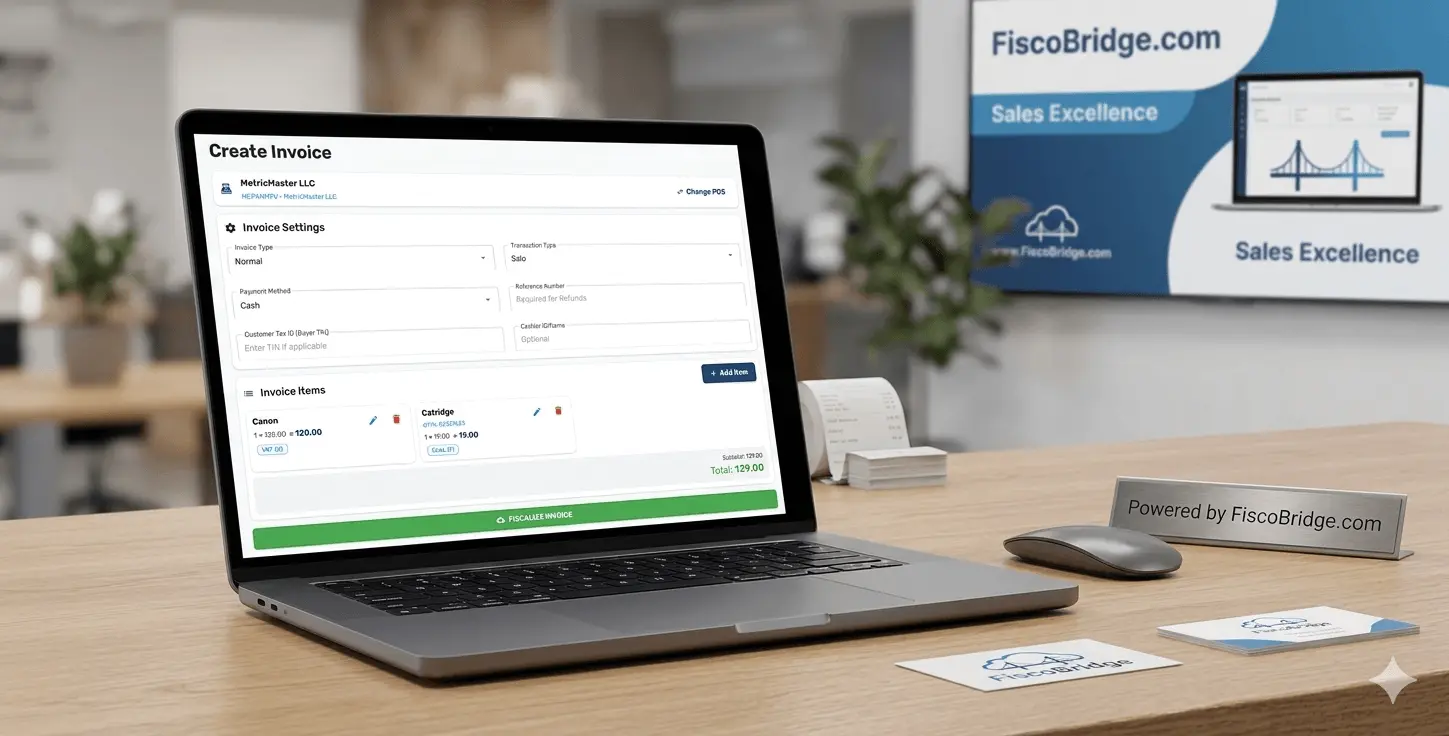
Get Started in 3 Simple Steps
FiscoBridge Web Invoicing is the easiest way to achieve fiscal compliance. No IT team required.
Step 1 — Upload Your PFX Certificate
Log in to FiscoBridge and securely upload your PFX digital certificate issued by your tax authority. This authenticates your business for fiscal invoice signing.
Step 2 — Open Your Invoicing Workspace
Access your invoicing workspace instantly — from any device, any location. No installation, no configuration. It's ready to use immediately.
Step 3 — Issue Fiscally Signed Invoices
Create, sign, and submit compliant fiscal invoices in seconds. Every transaction is automatically recorded and reported to your tax authority in real time.
Everything You Need in the Cloud
FiscoBridge Web Invoicing is the most affordable, cloud-based alternative to traditional POS fiscalization — built for speed, simplicity, and full compliance across Pacific Island markets.
No Software Installation
FiscoBridge Web Invoicing runs entirely in your web browser. There is nothing to download, install, or maintain. Updates happen automatically — you always have the latest version.
Use from Any Device, Anywhere
Issue invoices from a laptop, tablet, phone, or any internet-connected device. Work from your shop, home, or on the road — your invoicing is always available.
Real-Time Invoice Fiscalization
Every invoice is fiscalized and submitted to your tax authority instantly. No manual reporting, no batch uploads — your business stays compliant automatically.
Super Easy to Use
Designed for everyday business owners — not IT professionals. The clean, intuitive interface means you can start issuing invoices in minutes, with zero training required.
Accredited Compliance — Fiji, Samoa & Vanuatu
FiscoBridge is an accredited Sales Data Controller (SDC) supporting fiscal compliance in Fiji (FRCS VMS v3), Samoa (TIMS), and Vanuatu (VSMS). Your invoices meet local tax authority requirements out of the box.
Saved Products & Pricing
Build a reusable product catalogue with saved items and prices. Add a product once and drop it onto any invoice — so you can create compliant invoices faster and with fewer errors.
Full Invoice History
Access a complete record of all your fiscalized invoices in one place. Search, filter, and review past transactions at any time — full audit trail included.
Daily Sales Report
Generate a complete daily report at the end of each business day — total sales, tax breakdown, payment method totals, and invoice count. Perfect for end-of-day reconciliation and bookkeeping.
Why FiscoBridge Web Invoicing?
Traditional POS fiscalization means buying hardware, installing software, and dealing with constant updates. FiscoBridge Web Invoicing removes all of that — your entire fiscal compliance workflow runs in the cloud, from any browser, on any device.
- No hardware required — your PFX certificate replaces the physical smart card device entirely
- No software to install or maintain — access from any modern web browser
- Work from anywhere — office, home, warehouse, or on the road
- Always up to date — cloud updates are automatic, ensuring ongoing compliance with your local tax authority
- The most affordable cloud-based invoicing available — no hardware costs, no IT maintenance, plans from $9/month
- Supports Fiji, Samoa & Vanuatu — one platform for the Pacific region
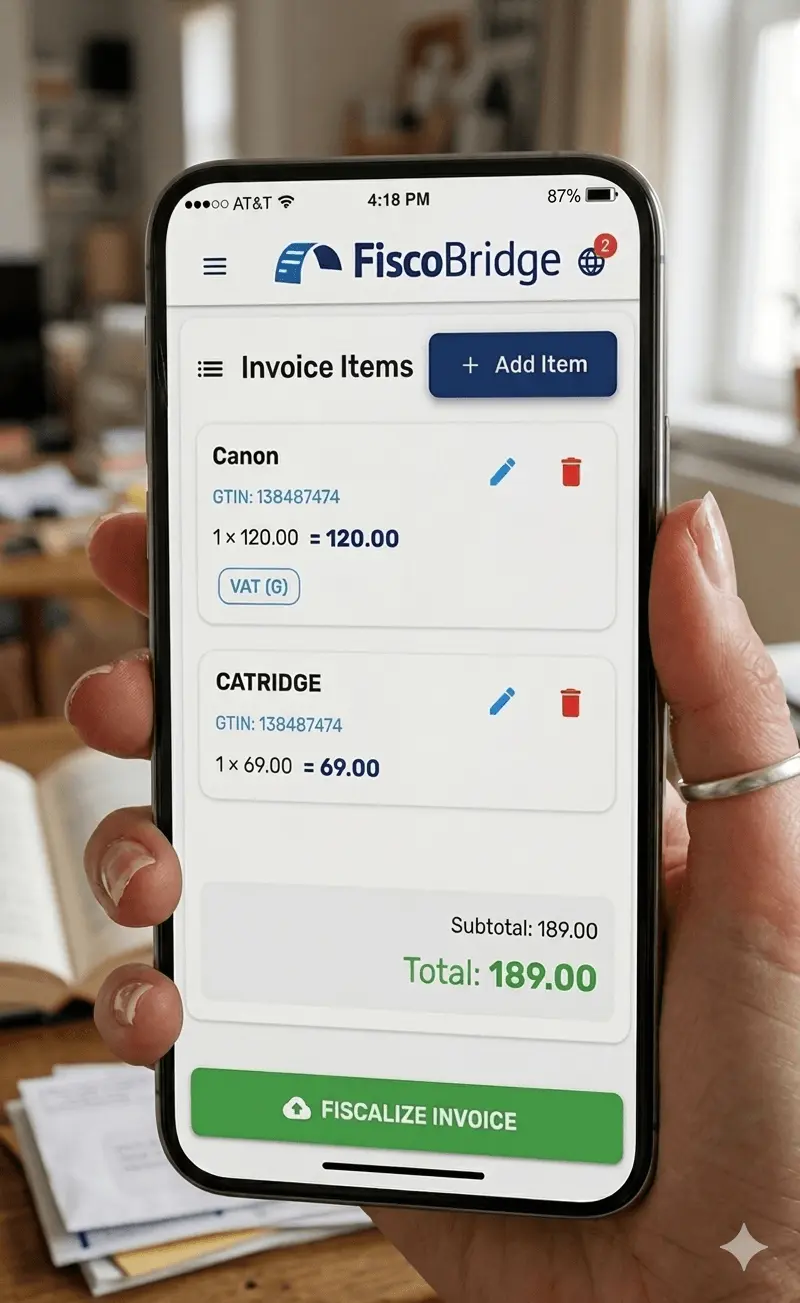
Start Issuing Fiscal Invoices from the Cloud Today
Upload your PFX certificate, log in, and your invoicing workspace is ready — from any device, in minutes. No installation, no hardware, no waiting.
Frequently Asked Questions
A PFX (Personal Information Exchange) certificate is a digital certificate issued to your business by your local tax authority. It contains your business's unique cryptographic keys and is used to digitally sign every fiscal invoice.
Where to get your PFX certificate:
- Fiji — FRCS taxpayer portal (Fiji Revenue & Customs Service)
- Samoa — Ministry for Revenue
- Vanuatu — Department of Customs and Inland Revenue
Contact your tax authority or our support team for help obtaining your certificate.
No. FiscoBridge Web Invoicing is entirely browser-based — nothing to download, install, or maintain.
You only need:
- An internet connection
- A modern web browser — Chrome, Firefox, Edge, or Safari
No hardware, no installer, no IT setup required.
Yes. FiscoBridge protects your PFX certificate and invoice data with multiple security layers:
- 256-bit SSL encryption for your PFX certificate during upload and storage
- Secure, compliant databases with full audit trail logging on every invoice
- No third-party sharing — FiscoBridge never shares your certificate or business data
FiscoBridge Web Invoicing supports fiscal compliance in Fiji (FRCS VMS v3), Samoa (TIMS), and Vanuatu (VSMS). If you are unsure whether your country is supported, contact us and we will help you get set up.
Yes. FiscoBridge Web Invoicing and the desktop SDC are complementary products. You can use both under the same account. Many businesses use the desktop SDC for their primary POS terminals and Web Invoicing for remote or mobile invoicing.
Yes. FiscoBridge Web Invoicing includes a built-in daily sales report that summarises every business day at a glance:
- Total sales for the day, including a breakdown by tax rate
- Payment method totals — cash, card, and other tender types
- Invoice count with normal sales, refunds, and voided invoices clearly separated
The report is ideal for end-of-day reconciliation, handover between shifts, and keeping your bookkeeping up to date.