
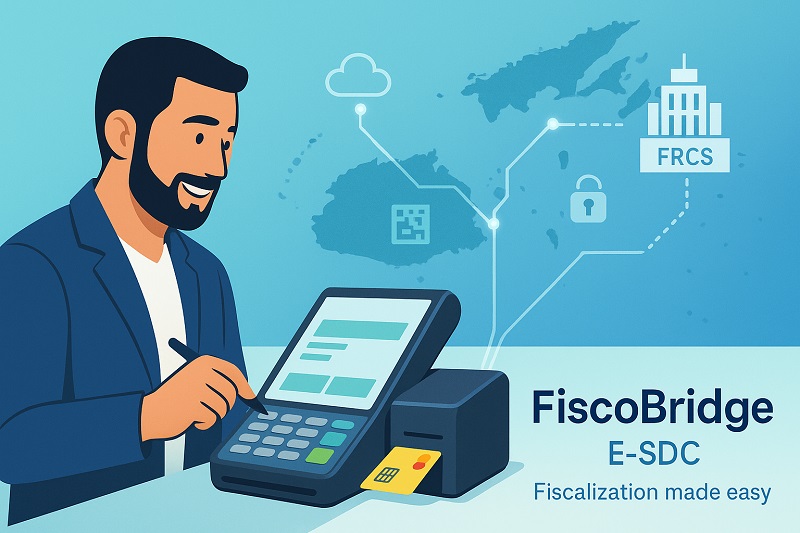
TL;DR / Summary: POS device sellers and POS software providers in Fiji and Samoa need more than hardware to support fiscal compliance. Businesses may need a compliant Sales Data Controller (SDC), POS-to-SDC integration, or a cloud-based fiscalization workflow depending on how their system works. FiscoBridge helps POS vendors, software companies, and businesses connect their existing sales systems with compliant fiscalization solutions for markets such as Fiji VMS and Samoa TIMS.
Why do POS devices need fiscalization software in Fiji and Samoa?
POS hardware alone is usually not enough for modern fiscal compliance. In markets such as Fiji and Samoa, businesses need their sales transactions to follow the rules of the local tax authority system.
For Fiji, businesses may need to support the FRCS VAT Monitoring System (VMS). For Samoa, businesses may need to support the Tax Invoice Monitoring System (TIMS). These systems are not only about printing receipts. They involve structured invoice data, secure signing, reporting, and transaction records that must match the required technical format.
This creates an opportunity for POS device sellers, POS software providers, and IT companies. Instead of selling only a device, you can offer a more complete compliance-ready solution.
What is a Sales Data Controller (SDC)?
A Sales Data Controller, or SDC, is the fiscalization layer between the POS system and the tax authority requirements. It receives invoice data from the POS, processes the transaction, signs or prepares the required fiscal data, and returns the information needed for compliant invoices and receipts.
In simple terms:
- The POS creates the sale or invoice.
- The SDC handles the fiscalization logic.
- The business receives the required invoice, receipt, journal, or fiscal response.
- The transaction can then be reported according to the local rules.
If you sell POS devices or POS software, SDC integration can help your product become a complete fiscalization solution instead of only a sales or printing tool.
Why do POS sellers in Fiji and Samoa need SDC software?
POS sellers in Fiji and Samoa need SDC software because customers are not only looking for a cash register or a receipt printer. They are looking for a system that helps them stay compliant.
For POS vendors, this matters because fiscalization can directly affect sales, customer trust, and long-term support.
- Compliance support: Businesses want to avoid disruption, rejected invoices, or manual work caused by unsupported systems.
- Higher product value: A POS device with a fiscalization path is easier to sell than standalone hardware.
- Better customer retention: Customers are more likely to stay with a provider that helps them meet changing tax requirements.
- Faster market entry: Vendors can use an existing fiscalization solution instead of building everything from the beginning.
How does FiscoBridge help POS vendors and businesses?
FiscoBridge provides fiscalization solutions for businesses, POS providers, accounting systems, and software vendors that need to support compliant sales transactions.
For POS device sellers and POS software providers, FiscoBridge can help in several ways:
- SDC software: Use FiscoBridge SDC to connect compatible POS systems with fiscalization requirements.
- POS integration API: Developers can connect their POS system using the POS-to-SDC integration protocol.
- Cloud POS option: Businesses that do not have suitable POS software can use FiscoBridge Cloud POS.
- Accounting and ERP integrations: Businesses using accounting, ERP, or cloud systems can review FiscoBridge integrations.
This gives POS vendors flexibility. You can support customers who already have a POS system, customers who need a new POS, and customers who want to connect accounting or ERP workflows.
What integration options are available for POS systems?
The right integration depends on how the customer currently issues invoices or receipts. A small retail shop, hotel, restaurant, distributor, and ERP-based business may all need different workflows.
| Business situation | Recommended path | Best fit |
|---|---|---|
| The business already has POS software | Connect the POS to FiscoBridge using the POS-to-SDC protocol | POS vendors, software companies, retail systems |
| The business has POS hardware but no compliant POS software | Use FiscoBridge Cloud POS | Small businesses, simple invoice workflows, quick setup |
| The business uses accounting or ERP software | Use a cloud integration or custom integration | Xero, ERP, accounting, back-office invoicing |
| The POS vendor wants to sell a complete solution | Bundle POS hardware or POS software with FiscoBridge fiscalization support | POS sellers, IT providers, resellers |
What are the benefits of offering FiscoBridge with your POS devices?
For POS sellers, fiscalization is not only a technical requirement. It is also a business opportunity.
- You can offer a complete solution: Customers prefer a system that helps them sell, print, fiscalize, and stay compliant.
- You reduce development time: Instead of building the full fiscalization layer yourself, your team can integrate with an existing solution.
- You support more customer types: FiscoBridge can support POS, cloud POS, and integration-based workflows.
- You improve trust: Businesses want providers who understand local fiscalization requirements.
- You create recurring value: Compliance, support, updates, and integrations can create long-term customer relationships.
Why is this important for Fiji VMS and Samoa TIMS?
Fiji VMS and Samoa TIMS require businesses to take fiscalization seriously. Many businesses are now reviewing their POS systems and asking practical questions such as:
- Can my current POS work with the tax authority system?
- Do I need to replace my POS?
- Can my POS vendor integrate with an SDC?
- Can I use a cloud POS instead?
- Can my accounting or ERP system be connected?
These are exactly the questions POS vendors should be ready to answer. If your POS device or POS software can connect with FiscoBridge, you can give customers a clearer path to compliance.
How can POS vendors get started with FiscoBridge?
The easiest way to start is to review how your POS currently creates invoices or receipts. After that, you can decide whether your customer needs SDC integration, Cloud POS, or a custom integration.
- Review your current POS workflow and invoice data structure.
- Check the FiscoBridge POS-to-SDC protocol.
- Review the FiscoBridge SDC solution.
- If your customer needs a simple web-based POS, review FiscoBridge Cloud POS.
- If the customer uses accounting or ERP software, review FiscoBridge integrations.
- Contact the FiscoBridge team through the contact page to discuss the best setup.
Conclusion: POS fiscalization is now part of the product
If you sell POS devices or POS software in Fiji, Samoa, or other fiscalization markets, compliance should not be treated as an afterthought. Businesses want systems that are ready for real-world use, including fiscal invoice processing, reporting, and tax authority requirements.
FiscoBridge helps POS vendors and businesses add the fiscalization layer they need without forcing every provider to build a complete compliance system from zero.
To learn more, visit FiscoBridge, explore the SDC solution, or review the POS-to-SDC integration guide.
FAQ: POS devices, SDC software, and fiscalization
Can a POS device be compliant without SDC software?
In many fiscalization systems, POS hardware alone is not enough. The business usually needs software that can prepare, sign, fiscalize, or report transactions in the required format. That is where an SDC or fiscalization integration becomes important.
Do POS sellers need to replace their existing devices?
Not always. If the existing POS device or POS software can send invoice data to an external fiscalization system, it may be possible to integrate it with FiscoBridge instead of replacing the entire setup.
Can FiscoBridge work with existing POS software?
Yes, if the POS software can be integrated. Developers can review the POS-to-SDC protocol to understand how POS software can communicate with FiscoBridge.
What if a business does not have suitable POS software?
If a business needs a simple sales and invoicing system, FiscoBridge Cloud POS can be a practical option. It is useful for businesses that need a cloud-based workflow instead of a custom POS integration.
Is FiscoBridge only for POS devices?
No. FiscoBridge also supports integration workflows for accounting systems, ERP systems, and other business software. You can learn more on the FiscoBridge integrations page.
Who should contact FiscoBridge?
POS vendors, POS device sellers, software companies, IT providers, resellers, and businesses that need fiscalization support can contact FiscoBridge to discuss the best setup for their workflow.