
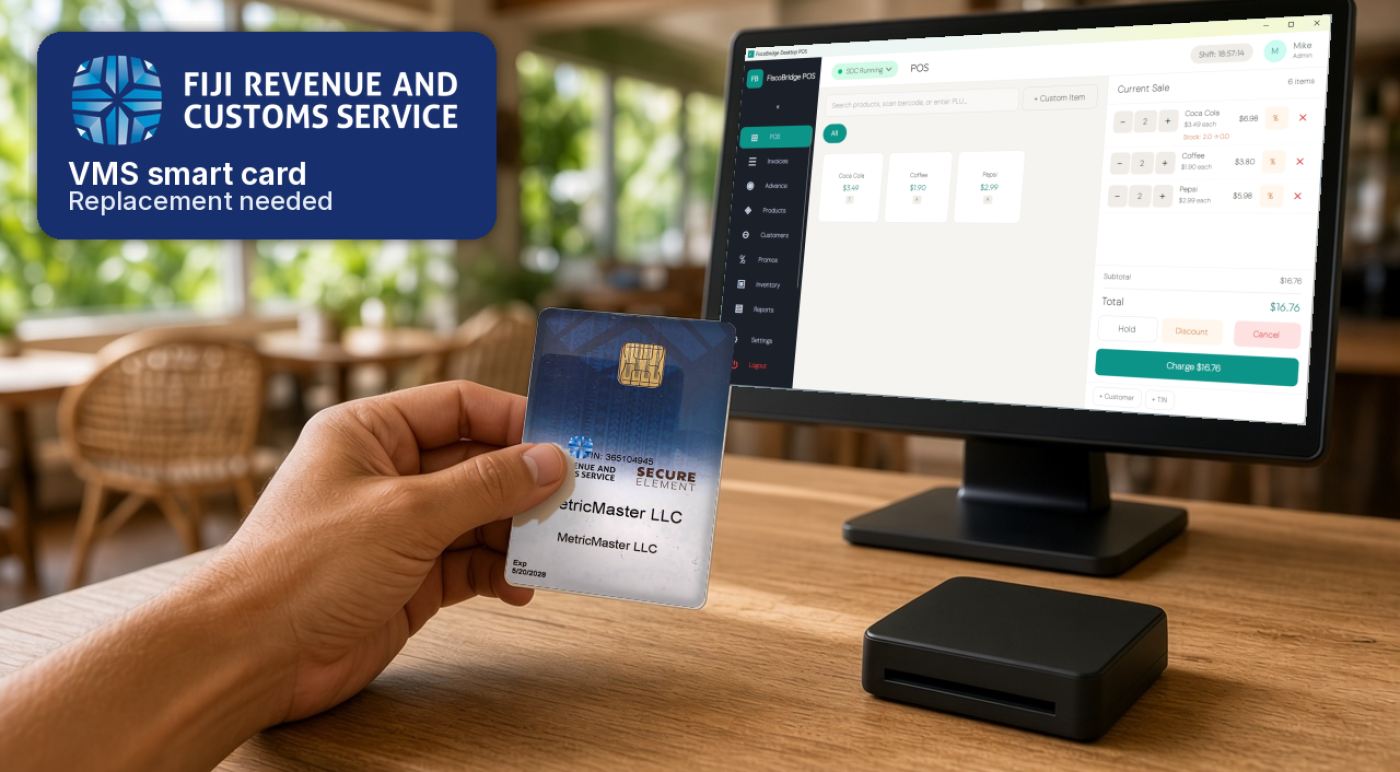
If your Fiji VAT Monitoring System (VMS) smart card is lost, stolen or locked, or you think someone else may know the PIN, email the Fiji Revenue and Customs Service (FRCS) immediately at efdenquiry@frcs.org.fj so the card can be revoked. Then sign in to the Taxpayer Administration Portal (TAP) to revoke the certificate and request a replacement. If the card was stolen, also obtain a police report. Never send your PIN, a PFX certificate file or its password to anyone. [1][3]
The official FRCS FAQ does not describe what to do with a damaged card, so email the same address and follow FRCS's instructions. [1] If a card or certificate is close to expiry, renew it through TAP before the date if you can. [1] This is a response plan for Fiji business owners, store managers and the person who holds the VMS admin card, and is not a substitute for advice from FRCS.
Summary
- Lost or stolen: email efdenquiry@frcs.org.fj immediately so FRCS can revoke the card, then revoke the certificate in TAP and request a new one. If it was stolen, get a police report.
- Replacement fee: $51.60 (Fiji dollars) on the official FRCS FAQ. Re-register as FRCS directs, and make sure the invoice identifies the specific card or cards.
- Locked, forgotten or compromised PIN: revoke the certificate in TAP and request a new card. Return earlier smart cards that used the same credentials to FRCS. Never share or send the PIN.
- Damaged card: the FAQ has no published process. Email efdenquiry@frcs.org.fj and wait for FRCS's advice.
- While you wait: do not assume you can keep issuing fiscal invoices, and do not invent an unofficial paper receipt. Ask FRCS what you may do.
- Collection: new cards are produced at FRCS offices in Suva, Nadi and Labasa. They are not posted.
First, identify the incident
Start by naming what happened and which credential is affected. The admin or registration card manages your taxpayer account and is used to request or renew certificates. It is not the same as the credential that signs fiscal invoices: a Smart Card with an on-premise sales data controller (SDC), or a PFX certificate file with a cloud setup. Tell FRCS which one is involved, because the steps differ if the admin card itself has expired.
This article summarises public FRCS material and is not legal or tax advice. Check the official FAQ and TAP help, or ask FRCS, before you act.
| Incident | First action |
|---|---|
| Lost or misplaced card | Email efdenquiry@frcs.org.fj immediately so the card can be revoked, then revoke the certificate in TAP and request a new one. [1][3] |
| Stolen card | Same email and TAP steps, and obtain a police report confirming the theft. [1][3] |
| PIN locked after too many wrong attempts | Do not keep guessing. Revoke the certificate in TAP and request a new smart card. [3] |
| PIN forgotten | Revoke the certificate in TAP and request a new card. A forgotten PIN is not recovered; you need a new card. [3] |
| PIN or PFX password may be known to someone else | Revoke the certificate in TAP, request a new credential, and return earlier smart cards that used the same credentials to FRCS. [3] |
| Card damaged | Email efdenquiry@frcs.org.fj and follow FRCS's instructions. There is no published process in the FAQ. [1] |
| POS card or PFX expired | Renew through TAP. If you missed the renewal request, you can still use a valid admin card to apply. [1] |
| Admin card expired | Advise FRCS. The FAQ says a new email invitation will be sent. [1] |
Lost or stolen card
Treat a missing card as urgent, even if you hope it will turn up. Tell FRCS first so the card can be revoked and can no longer be used.
- Email FRCS immediately at efdenquiry@frcs.org.fj and report that the card is misplaced or stolen, so it can be revoked. [1]
- Revoke the certificate in TAP. Sign in to the Taxpayer Administration Portal and request revocation of the certificate on the lost or stolen card. [3][4]
- Request a new certificate, then re-register and pay the replacement fee as FRCS directs. The official FAQ lists a fee of $51.60 (Fiji dollars). The invoice must state the card replacement fee for the specific card number or numbers. [1][3]
- If the card was stolen, inform the police and obtain an official police report confirming the theft. [3]
FRCS does not say how long a replacement takes. You will be told when the new card is ready to collect.
PIN locked, forgotten or compromised
When you accept FRCS's email invitation you choose a 4-digit PIN. Remember it, and do not write it on the card. Never share it, and never send the PIN, a PFX file or its password by email or message, including to a supplier. [1]
If the card locked after too many wrong PIN attempts, if you have forgotten the PIN, or if you think someone else may know the PIN or the password for a PFX file, the TAP help path is the same: sign in to TAP, revoke that certificate, and request a new smart card or, for a cloud certificate, a new PFX file. [3]
FRCS's TAP help also says you must return every earlier smart card that used those same credentials. A locked card is not reset by further PIN attempts.
Damaged card or reader
The official FRCS FAQ does not set out a process for a damaged smart card. Do not assume the lost-card steps, a repair, or reuse of the same card. Email efdenquiry@frcs.org.fj and follow the instructions FRCS gives you. [1]
Card readers are a separate item. The FAQ says they are available on the open market or directly from FRCS, that a reader purchased from FRCS costs $51.60 (Fiji dollars), and that readers can be collected at all FRCS offices. Payment steps are on the FRCS VMS FAQ page. [1]
Expired card or certificate
FRCS says businesses are notified three times: 3 months, 1 month and 7 days before expiry. Request renewal of your POS and admin cards through TAP and advise FRCS if a new card needs to be printed. [1]
If a POS card or a PFX file has already expired and you did not request renewal in time, you can still use a valid admin card to apply in the portal. If the admin card itself has expired without renewal, advise FRCS and a new email invitation will be sent. [1] TAP help also says to notify FRCS and request a new smart card certificate through the portal. [3]
For the full expiry story, see our guide to Fiji VMS card expiry. [7]
Collecting the new card
All smart cards are created at FRCS offices in Suva, Nadi and Labasa. FRCS will arrange dispatch to the collection office you selected. Cards are not posted, for security and confidentiality reasons. [1] The registration process page says your card will be printed and you will be advised when it is ready for collection. [2]
Can you keep trading while you wait?
Public FRCS pages reviewed for this article do not say whether you may keep issuing fiscal invoices while a replacement is on the way. Do not assume that you can, and do not invent an unofficial paper receipt as a stand-in for a fiscal invoice.
Ask FRCS at efdenquiry@frcs.org.fj what you may do until the new card is in your hands. If your business has another valid smart card, or a valid PFX certificate on another device, use it only if FRCS confirms that is allowed for your setup.
Prevent the next incident
Once the replacement is in place, a short routine reduces the chance of a repeat:
- Keep a secure inventory of cards, their numbers and where they are held, stored away from the till.
- Assign one person as the admin card owner, and make sure a deputy knows how to reach FRCS if that person is away.
- Set renewal reminders from the first (3-month) expiry notice, not from the 7-day reminder.
- If you operate more than one site or till, plan who holds which card. Our guide to VMS setups with multiple locations covers that structure. [8]
- Review whether a Smart Card, a PFX certificate, or both, best suits how you invoice. The admin card stays separate in every case. See Smart Card vs PFX certificate. [9]
Where FiscoBridge fits
FiscoBridge does not issue, repair, unlock or replace FRCS cards. Only FRCS issues VMS smart cards.
Once FRCS has issued a new card or certificate, FiscoBridge can help with certificate download and SDC setup. Start with the FiscoBridge Fiji VMS page, or the FiscoBridge SDC page if you use an on-premise controller. Help pages walk through requesting a certificate, downloading certificates for an SDC, and managing certificates. [5][6][10][11][12]
If you are not sure which setup fits your business, the Solution Checker is a guidance tool, not official advice. Confirm your obligations with FRCS.
Frequently asked questions
Who do I contact first if my VMS smart card is lost or stolen?
Email FRCS immediately at efdenquiry@frcs.org.fj so the card can be revoked. Then sign in to the Taxpayer Administration Portal (TAP), request revocation of the certificate on that card, and request a new certificate. If the card was stolen, also obtain a police report.
How much is a replacement VMS smart card in Fiji?
The official FRCS VMS FAQ lists a replacement fee of $51.60 (Fiji dollars). Re-register as FRCS directs, and make sure the invoice states the card replacement fee for the specific card number or numbers.
Do I need a police report?
Yes, if the card was stolen. FRCS's TAP help says you should inform the police and obtain an official police report confirming the theft. A misplaced card still needs to be reported to FRCS so it can be revoked.
I entered the wrong PIN too many times and the card is locked. What now?
A locked card is not unlocked by guessing again. Sign in to TAP, request revocation of the certificate on that card, and request a new smart card. FRCS's TAP help also says you must return earlier smart cards that used the same credentials.
My admin card has expired. What should I do?
Advise FRCS. The official FAQ says a new email invitation will be sent. If only a POS card or a PFX certificate has expired, you can still use a valid admin card to apply for renewal in TAP.
Can FiscoBridge replace my card?
No. VMS smart cards are issued by FRCS, not by FiscoBridge. FiscoBridge can help with certificate download and SDC setup after FRCS has issued the new card or certificate. Never send your PIN, a PFX file or its password to FiscoBridge or to anyone else.
Sources
All sources were reviewed on 11 November 2026.
Official FRCS sources
- FRCS: VAT Monitoring System (VMS) FAQs: misplaced or stolen VMS card (email efdenquiry@frcs.org.fj immediately so the card can be revoked; re-register and pay a replacement fee of $51.60; the invoice must state the fee for the specific UID(s)); purchasing a card reader ($51.60 from FRCS or on the open market; readers available at all FRCS offices); 4-digit PIN chosen when the invitation is accepted; smart cards created at FRCS offices in Suva, Nadi and Labasa and not posted; certificate expiry notices at 3 months, 1 month and 7 days, renewal of POS and admin cards through TAP, renewal of an expired POS card or PFX with the admin card, and a new invitation if the admin card itself has expired
- FRCS: VMS registration process: card issuance and collection (the card is printed and you are advised when it is ready for collection)
- FRCS Taxpayer Administration Portal (TAP) help: Smart Card, PIN or Certificate Issues: lost or stolen smart card (report the loss or theft to FRCS, request revocation in TAP, then request a new additional certificate; police report if stolen); compromised, forgotten or locked PIN or PAC (revoke in TAP, request a new certificate, and return previously issued smart cards that used those credentials); expired smart card certificate (notify FRCS and request a new certificate through TAP)
- FRCS Taxpayer Administration Portal (TAP) login
FiscoBridge documentation
- FiscoBridge: Fiji VMS solutions
- FiscoBridge: SDC (on-premise sales data controller)
- FiscoBridge blog: Fiji VMS card expiry and V3 POS and SDC checklist
- FiscoBridge blog: one Fiji business, multiple locations: how to structure your VMS setup
- FiscoBridge blog: Smart Card vs PFX certificate, which one should your business use
- FiscoBridge help: requesting a digital certificate
- FiscoBridge help: downloading certificates (SDC)
- FiscoBridge help: managing certificates