
On 22 October 2026, the Fiji Revenue and Customs Service (FRCS) sent what it calls a final reminder: businesses required to implement the VAT Monitoring System (VMS) under the Electronic Fiscal Device (EFD) Regulations 2017 must comply by 31 December 2026. [1]
If your Fiji business has gross annual turnover around or above $50,000 (Fiji dollars) and you are not yet issuing VMS fiscal invoices, confirm your obligations, start FRCS registration, choose an FRCS-accredited solution and the credential it needs, and test it before that date.
If your business group's implementation deadline has already passed, do not treat this reminder as permission to wait until December.
Summary
- The date: FRCS asks businesses required to implement VMS to comply by 31 December 2026.
- Who: businesses in a VMS group with gross annual turnover of $50,000 or more, as the notice puts it. Other FRCS documents say "exceeds", so confirm with FRCS if you are close.
- Three conditions: use FRCS-accredited solutions, issue compliant fiscal invoices with a verifiable QR code, and complete registration through the Taxpayer Online Service (TPOS) portal.
- Enforcement: FRCS says businesses that fail to install or properly operate an EFD may face audit scrutiny or enforcement action under the Tax Administration Act 2009. The notice gives no penalty amounts.
What did FRCS announce on 22 October 2026?
FRCS published a public notice about accelerating VMS compliance monitoring for Phases 1 to 3. It opens with this sentence: [1]
"The Fiji Revenue and Customs Service (FRCS) is sending a final reminder to all businesses that are required to implement the VAT Monitoring System (VMS) under the Electronic Fiscal Device (EFD) Regulations 2017 to comply by 31st December 2026."
FRCS says that "despite previous extensions, extensive awareness sessions, and direct engagement with businesses and stakeholders, compliance levels remain below the required standard." It lists what it continues to find: businesses not issuing receipts, discounts offered to discourage customers from asking for receipts, non-declaration and under-declaration of sales, and fraudulent or duplicated invoices used to claim refunds.
Does the $50,000 turnover rule apply to your business?
It applies if your business is in a group required to implement VMS and your turnover meets the threshold. The notice states: "Under EFD Regulations, every business with gross annual turnover of $50,000 or more must install, configure, maintain, and actively operate an accredited EFD system." [1]
Gazette Notice No. 61 of 2025, which sets the Phase 3 dates, and the FRCS VMS FAQs refer instead to turnover that "exceeds" $50,000. [3][7] If your turnover is close to $50,000, confirm your position with FRCS rather than relying on either phrasing.
The rollout has been phased by industry:
- Phase 1: supermarkets and pharmacies. [4]
- Phase 2: medical centres, travel agencies, accounting firms, law firms and hardware. [4]
- Phase 3: architecture and engineering, construction, accommodation, commercial health care, food services, freight, real estate, service stations, and wholesalers, manufacturers and retailers. [3][2]
For the full Phase 3 registration and implementation table, see our earlier guide to FRCS VMS Phase 3 timelines. In that table, 31 December 2026 is the gazetted implementation date for wholesalers, manufacturers and retailers; groups such as construction, real estate and service stations had 31 December 2025. [2]
The VAT threshold is a separate test
The $50,000 VMS threshold is not the $100,000 VAT registration threshold. Gazette Notice No. 61 of 2025 says groups with turnover between $50,000 and $100,000 "may seek an extension of the timelines at the discretion of the Chief Executive Officer", and the Phase 3 timelines notice asks such businesses to submit formal requests to the CEO of FRCS. [3][2] That is a request, not an automatic exemption.
What are the three conditions FRCS lists?
The notice sets out three conditions. The table below quotes FRCS and adds what a business should check. [1]
| Condition | What FRCS says | What to check |
|---|---|---|
| Use accredited solutions | "Businesses must use only software supplied by FRCS-accredited POS vendors." | Find your POS, and the SDC it connects to, on the current FRCS list of accredited products. [5] |
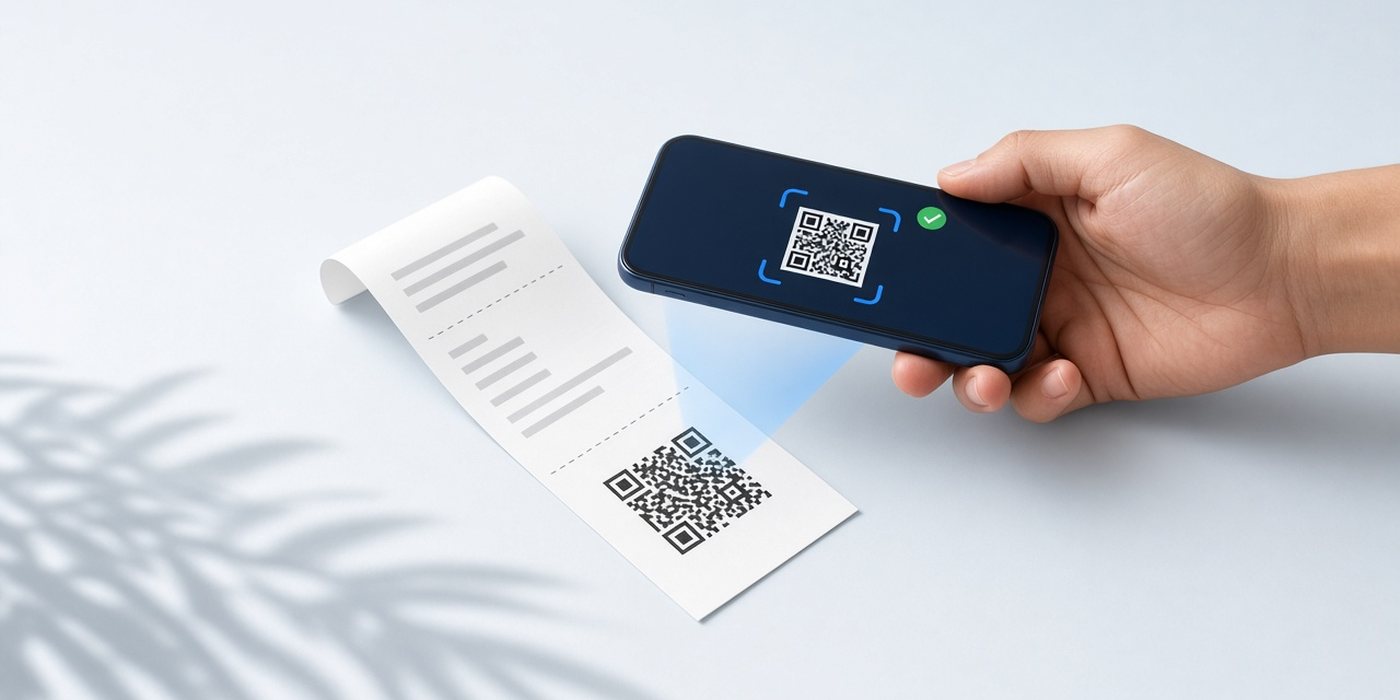
| Issue compliant fiscal invoices | "Every receipt must include the prescribed metadata, real-time signatures, and a verifiable QR code for audit purposes." | Scan the QR code and confirm that it opens the official FRCS verification service and displays the expected invoice. Compare the taxpayer details, fiscal invoice number, transaction type, total and tax breakdown with the document issued to the customer. [7][8] |
| Complete data registration | "Businesses must submit their Taxpayer Identification Number (TIN), physical address, and operating parameters through the Taxpayer Online Service (TPOS) portal to initialize the VMS Smart Card configuration." | Update your TPOS details, then follow the FRCS registration steps, which lead to an admin card. The credential your invoicing solution uses is a separate decision. [6][7] |
FRCS also says the system "connects an approved Point of Sale (POS) application to a Sales Data Controller (SDC), enabling transactional data to be transmitted securely to FRCS in real time." [1] Both parts matter: the POS your staff use and the SDC that signs the invoices.
How to check an FRCS-accredited solution
- Open the FRCS list of accredited and revoked E-SDC and POS products. It has separate E-SDC and POS tabs, each split into accredited and revoked products. [5]
- Find the SDC you plan to use on the E-SDC tab and the POS on the POS tab, and confirm each is listed under accredited, not revoked.
- Confirm that the two work together. FRCS states that the user is responsible for making sure the POS is compatible with the SDC it uses. [5]
- If you already have a POS, our guide on whether your POS can work with FRCS VMS covers the common scenarios.
When we checked on 27 October 2026, FiscoBridge SDC and FiscoBridge Cloud POS both appeared as accredited on the FRCS list of accredited E-SDC and POS products. [5] The section on where FiscoBridge fits explains which one suits which setup.
What FRCS says about the 150% EFD deduction
The notice says "Government in the last budget introduced a new incentive whereby 150% tax deduction is available to support the installation, implementation, and operation of EFD." [1] The FRCS summary of 2026-2027 National Budget revenue policies lists it under the Income Tax Act in one line, and budget commentaries from KPMG Fiji and Grant Thornton Fiji repeat it in the same terms. [9][11][12]
None of these documents sets out who qualifies, which costs count, the period covered or how to claim it, and we did not find published FRCS guidance on those points. Keep supplier invoices for your EFD costs and confirm the treatment with FRCS or your tax adviser before relying on it.
What happens after 31 December 2026, and what FRCS has not said
FRCS describes the consequence in one sentence: [1]
"Businesses that fail to install or properly operate an EFD by the applicable deadline maybe subject to audit scrutiny or enforcement actions under the Tax Administration Act 2009."
Note the words "applicable deadline". The notice does not say everyone has the same date, does not list penalty amounts and does not mention any further extension.
Version 2.0 setups
A separate FRCS notice says Phase 1, Phase 2 and voluntarily registered Phase 3 businesses continue with Version 2.0 until 31 December 2026, that "FRCS will cease Version 2.0 by 31 December 2026", and that Phase 3 businesses under Gazette Notice No. 61 of 2025 must register on Version 3.0. [2] If you are live on Version 2.0, ask your supplier about its Version 3.0 plan. Our guide to VMS Version 2 and Version 3 covers the differences.
A checklist for businesses not yet live before 31 December 2026
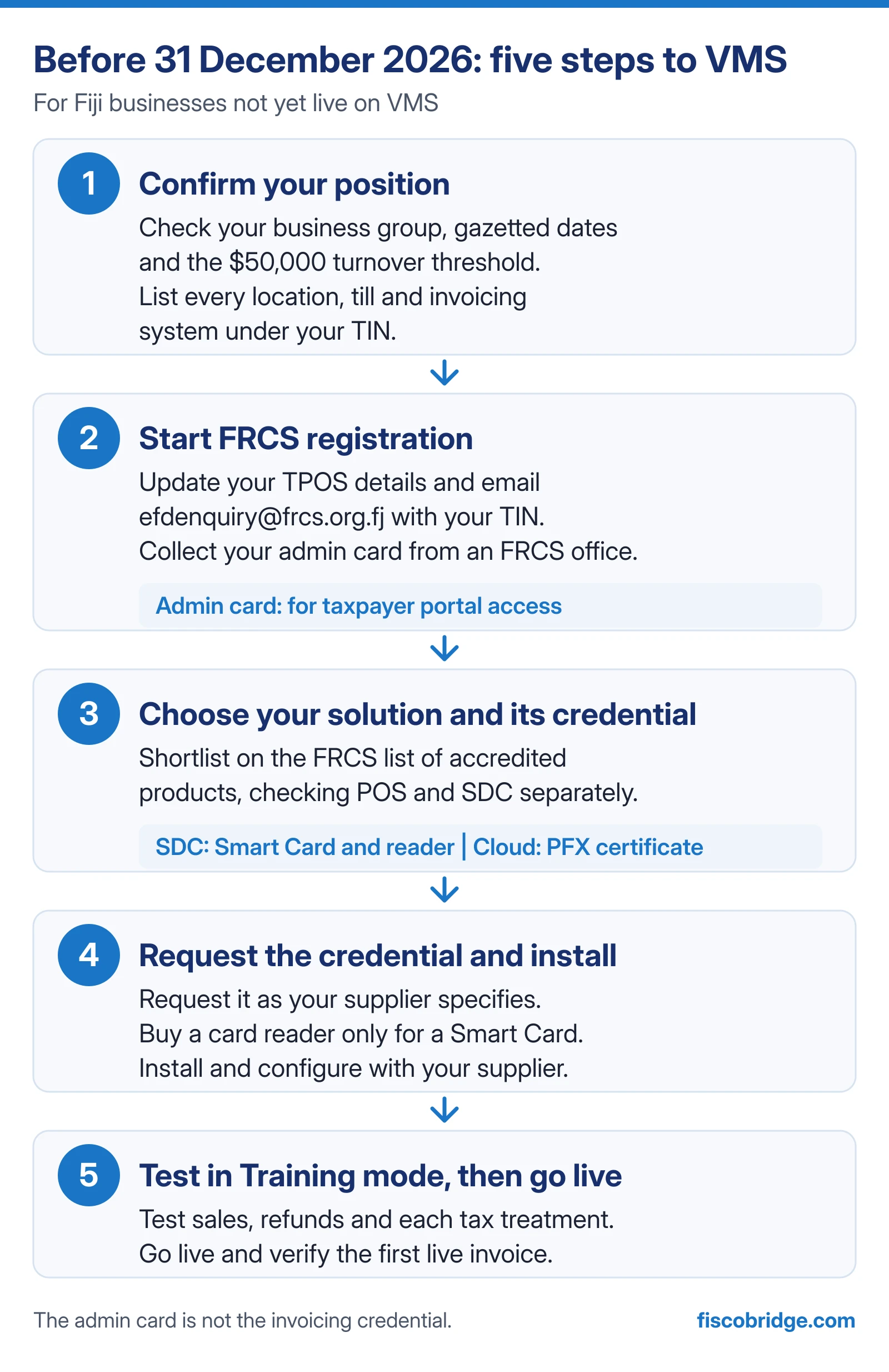
This checklist is for a business that has not yet registered for VMS and wants to be live before 31 December 2026. Registration can start promptly. Choose your solution and confirm the credential it needs before you request extra credentials or buy hardware.
Step 1: confirm your position
- Confirm your business group and check its gazetted registration and implementation dates.
- Check your gross annual turnover against the $50,000 threshold. If your turnover is between $50,000 and $100,000 and you need more time, ask FRCS in writing before your date, not after.
- List every location, till and invoicing system that issues receipts or invoices under your TIN. FRCS says an EFD must be operating for each business in the group and any other business under the same TIN. [7]
Step 2: start FRCS registration
- Log in to TPOS and check your mobile number, email address and physical address. For a company or partnership, make sure a representative is added. [6][7]
- Email efdenquiry@frcs.org.fj with your TIN and a short description of your business activity.
- FRCS verifies your details and emails an invitation for a new admin card. Set your 4-digit PIN, choose your collection office, complete the remaining fields as FRCS instructs and notify FRCS that you have accepted. [7][6]
- Collect the card when FRCS advises it is ready. FRCS says smart cards are collected from its Suva, Nadi or Labasa offices and are not posted. [7]
- Keep your PIN private. Do not share it in emails, chat or support tickets.
Step 3: choose your solution and confirm its credential
Follow FRCS's registration and taxpayer-access requirements first. Then confirm which fiscal credential your chosen invoicing solution needs. FiscoBridge SDC uses a Smart Card and reader, while FiscoBridge Web Invoicing and supported cloud integrations use a PFX certificate. An admin card used for taxpayer-portal access should not be confused with the credential used by the invoicing application. [7][13][15]
- Shortlist solutions on the current FRCS list of accredited products, checking the POS and the SDC separately. [5]
- Decide how invoices will be created: an existing POS, a new till, browser-based invoicing or your accounting software.
- Ask the supplier which credential it needs, what internet connection it needs and who supports you after go-live.
Step 4: request the credential and install
- Request the credential your supplier specifies through the FRCS Taxpayer Administration Portal, or as FRCS directs. FiscoBridge's guide to requesting a digital certificate shows the PFX steps. [15]
- Buy a card reader only if your solution uses a Smart Card. FRCS says readers are available on the open market or from FRCS offices. [7]
- Install and configure the solution with your supplier.
Step 5: test in Training mode, then go live
- Use Training mode to test sales, Training Refunds, business-customer details, payment methods and each tax treatment you use. Check the returned fiscal documents and references. Once those tests pass, switch to live processing for genuine customer transactions and verify the first live invoice. Our guide to testing with Training invoices lists what to check.
- For that first live invoice, use the QR check in the three conditions table.
- Train every staff member who issues receipts. Do not use handwritten receipts as a substitute for required fiscal invoices. Confirm the appropriate contingency procedure with your supplier and FRCS.
- Keep supplier invoices for your EFD costs in case the 150% deduction applies to you.
Illustrative example
The following business is invented for illustration. A retailer in Suva with gross annual turnover of about $80,000 has used handwritten receipt books and has not registered for VMS.
- As a retailer, its gazetted Phase 3 registration date was 30 June 2026 and its implementation date is 31 December 2026, the same date as the final reminder.
- Its registration date has already passed, so it should contact FRCS at efdenquiry@frcs.org.fj without waiting and start the registration steps.
- Because its turnover is between $50,000 and $100,000, the gazette allows it to seek an extension at the CEO's discretion. Until FRCS agrees in writing, it should plan to be live by 31 December 2026.
Common mistakes and limitations
- Treating 31 December 2026 as a new date for everyone. Several groups had earlier gazetted implementation dates.
- Assuming any POS is accredited. FRCS says the business owner is responsible for engaging only approved vendors. Check the current list yourself.
- Checking only the POS. The SDC matters too, and FRCS says the user is responsible for POS and SDC compatibility.
- Buying hardware before choosing a solution. The credential depends on the solution, so confirm it first.
- Leaving registration to the last days of December. Registration needs FRCS verification, an invitation and in-person card collection, so it cannot be finished in one visit.
This article summarises FRCS public material reviewed on 27 October 2026. It is not legal or tax advice. FRCS guidance can change, so check the official sources below before acting.
Where FiscoBridge fits
Which FiscoBridge route fits depends on how you issue invoices.
- If your existing POS supports the required POS-to-SDC integration, FiscoBridge SDC can provide the local fiscalization component using a Smart Card and reader. Confirm compatibility with your POS supplier; integration development or configuration may be required. [13]
- If you need simple browser-based invoicing, FiscoBridge Cloud POS (our Web Invoicing product) uses a PFX certificate instead of a Smart Card. [14]
- If you invoice in Xero, MYOB Business and supported AccountRight online company files, QuickBooks Online or Odoo (Odoo Online or self-hosted), FiscoBridge integrations fiscalize invoices using your PFX certificate. Conditions: QuickBooks Desktop uses a different connection model, and Odoo invoices are fiscalized when posted, not at the till. [16]
- If you run Odoo POS, the FiscoBridge Odoo POS app works with FiscoBridge SDC. Conditions: Odoo.sh or on premise (not Odoo Online), Odoo 17.0 to 20.0.
To get started, see FiscoBridge SDC or FiscoBridge Cloud POS. If you are not sure which route fits your business, the Solution Checker helps you find a fiscalization setup. It is a guidance tool, not official advice, and your business should still confirm its own obligations and dates with FRCS.
Frequently asked questions
Does VMS apply at FJD 50,000 annual turnover?
FRCS wording differs at exactly FJD 50,000. The 22 October 2026 notice says every business with gross annual turnover of $50,000 or more must operate an accredited EFD system, while Gazette Notice No. 61 of 2025 and the FRCS VMS FAQs refer to turnover that exceeds $50,000. If your turnover is at or close to FJD 50,000, confirm your position with FRCS at efdenquiry@frcs.org.fj. Neither document gives a blanket exemption at that level: businesses with turnover between $50,000 and $100,000 may only ask the FRCS CEO for an extension, which is at the CEO's discretion.
Is 31 December 2026 a new deadline for every business?
Not necessarily. 31 December 2026 is the gazetted implementation date for wholesalers, manufacturers and retailers. Several other Phase 3 groups had earlier gazetted dates, and the notice does not say those dates have been replaced. A business whose own date has already passed should contact FRCS rather than treat 31 December 2026 as extra time.
Can I keep issuing manual receipts until 31 December 2026?
The sources we reviewed do not treat the period before 31 December 2026 as permission to keep issuing manual receipts. The FRCS VMS FAQs cite Regulation 17(1) of the EFD Regulations 2017, which makes the taxpayer responsible for issuing a fiscal invoice to a customer for each transaction. Do not use handwritten receipts as a substitute for required fiscal invoices. Confirm the appropriate contingency procedure with your supplier and FRCS.
Where can I find the list of FRCS-accredited POS and SDC solutions?
FRCS publishes a list of accredited and revoked E-SDC and POS products on its VMS portal, with separate E-SDC and POS tabs. Check that both your POS and the SDC it uses appear as accredited before you commit.
How do I register for VMS?
FRCS describes five steps: check that your mobile number, email and physical address are up to date in TPOS, email efdenquiry@frcs.org.fj with your TIN and a short description of your business activity, accept the invitation FRCS sends for a new admin card, set your 4-digit PIN and choose a collection office, then collect the printed card when advised. FRCS says smart cards are collected from its Suva, Nadi or Labasa offices and are not posted. The credential your invoicing solution uses is a separate step that depends on the solution you choose.
How do I claim the 150% tax deduction for EFD costs?
FRCS says a 150% tax deduction is available to support the installation, implementation and operation of an EFD, and lists it in its 2026-2027 National Budget summary. KPMG Fiji and Grant Thornton Fiji describe it in the same terms. None of these sources explains who qualifies, which costs count, the period covered or how to claim it. Keep invoices for your EFD costs and confirm the treatment with FRCS or your tax adviser.
What happens to VMS Version 2 setups after 31 December 2026?
An FRCS notice on the Phase 3 timelines says Phase 1, Phase 2 and voluntarily registered Phase 3 businesses continue with Version 2.0 until 31 December 2026, and that FRCS will cease Version 2.0 by that date. Businesses still on Version 2.0 should ask their POS and SDC supplier about their Version 3.0 plan.
Sources
All sources were reviewed on 27 October 2026.
Official FRCS and government sources
- FRCS public notice: FRCS accelerates VMS compliance monitoring for Phase 1 to 3 (published 22 October 2026)
- FRCS public notice: FRCS confirms VMS Phase 3 timelines
- Gazette Notice No. 61 of 2025, Tax Administration (Electronic Fiscal Device) Regulations 2017 (PDF, gazetted 8 August 2025)
- FRCS public notice: Clarification on VMS registration requirements following the 2025-2026 National Budget announcement
- FRCS VMS: List of accredited and revoked E-SDC and POS products
- FRCS: VMS registration process
- FRCS: VMS FAQs
- FRCS VMS Taxpayer Administration Portal help: Invoice Verification Service
- FRCS: 2026-2027 National Budget summary of revenue policies (PDF)
- FRCS: EFD Regulations 2017
Professional commentary
- KPMG Fiji: Fiji Budget 2026/27 newsletter (PDF)
- Grant Thornton Fiji: Fiji National Budget overview 2026-2027 (PDF, hosted by the Fiji Hotel and Tourism Association)